Everything your digital business card can do
A tour of VisionLink, from the card itself to leads, AI tools, statistics and newsletters. Each part says which plans include it, so you know what you get.
No credit card needed. Nobody is charged when it ends. Free for one card. No credit card needed.
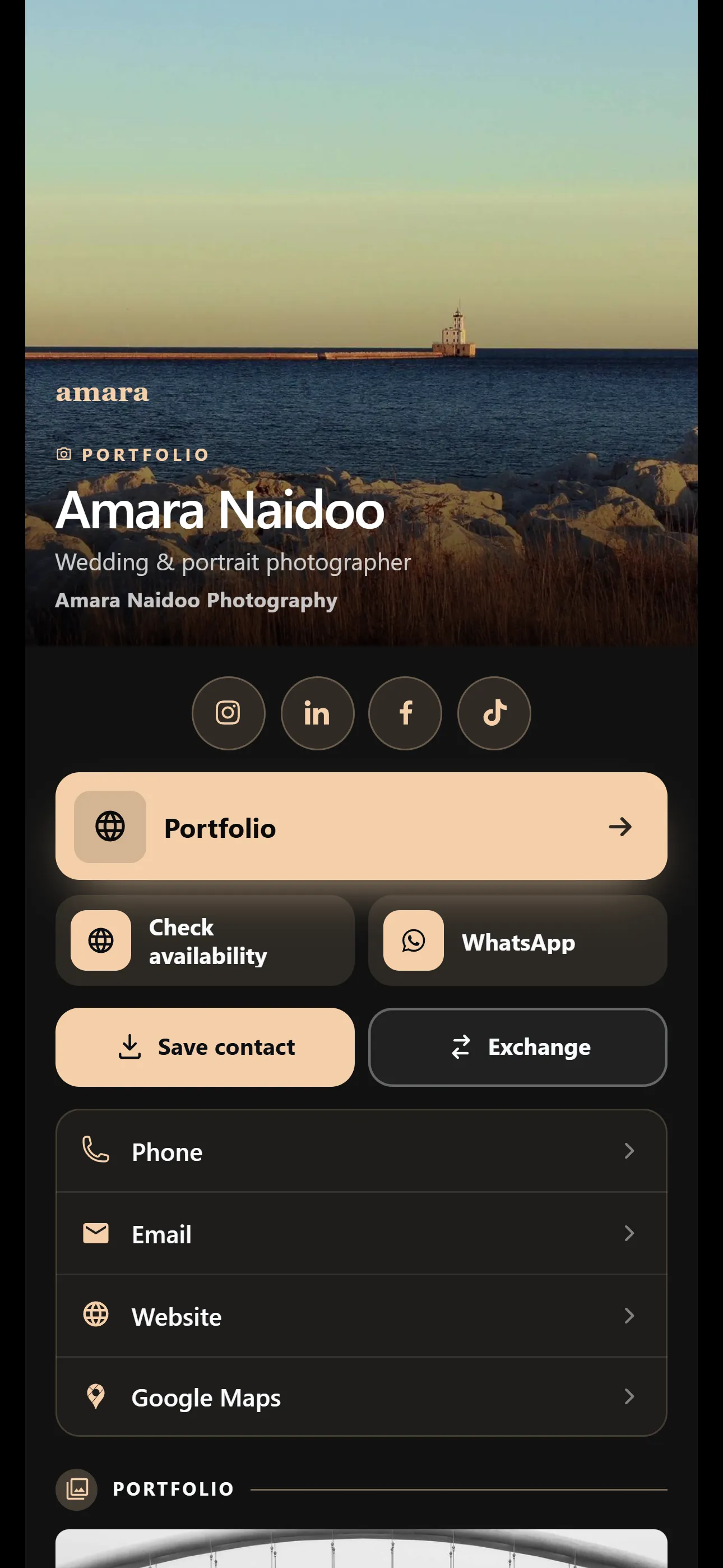
Start with a template, then make it yours
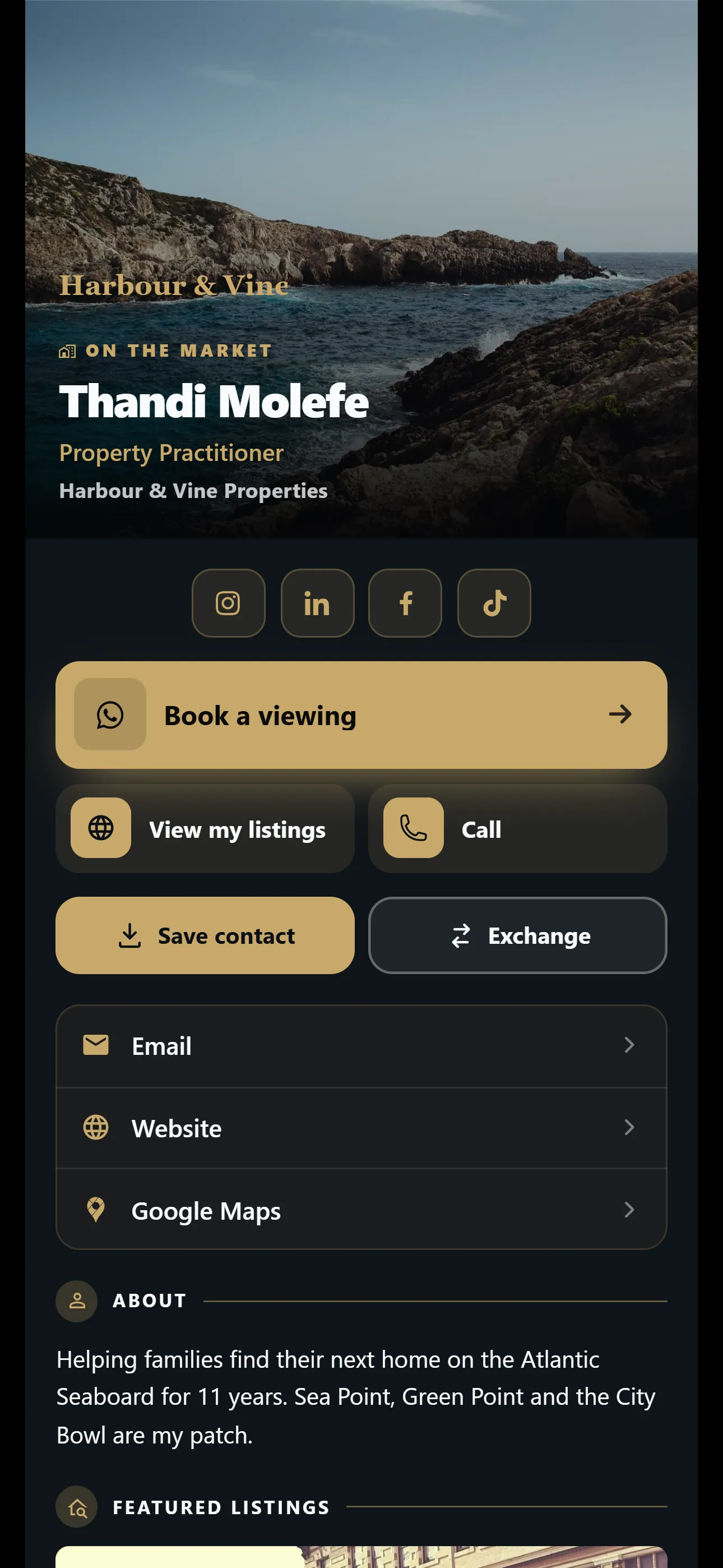
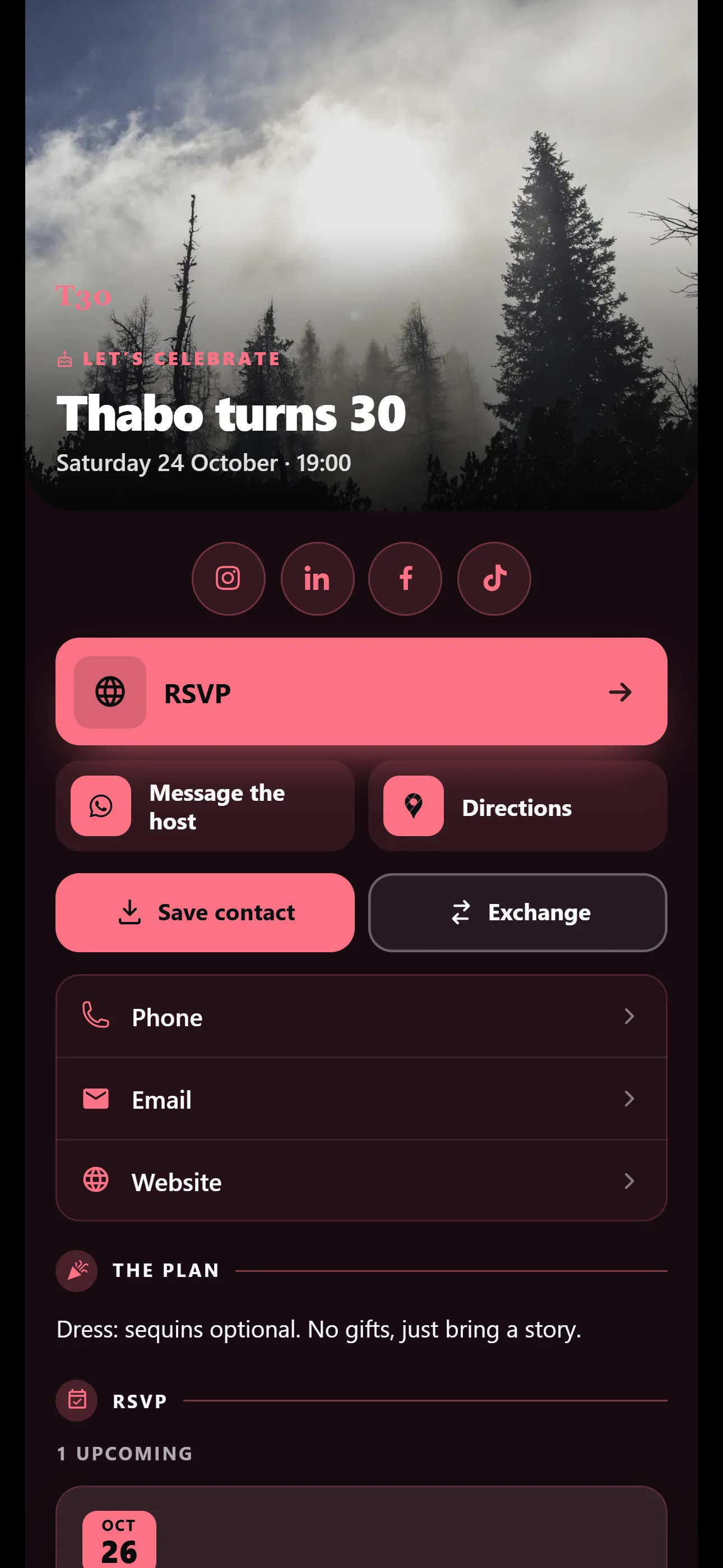
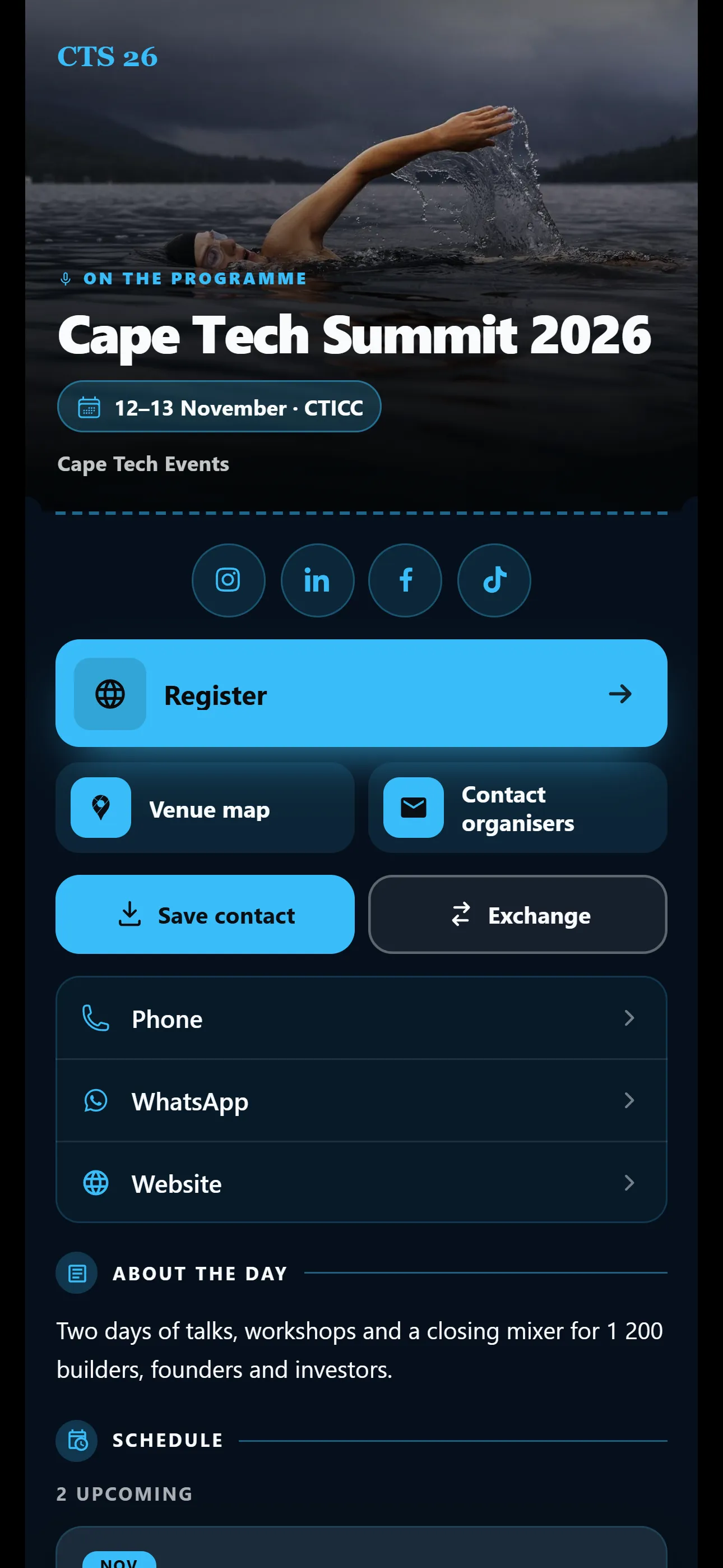
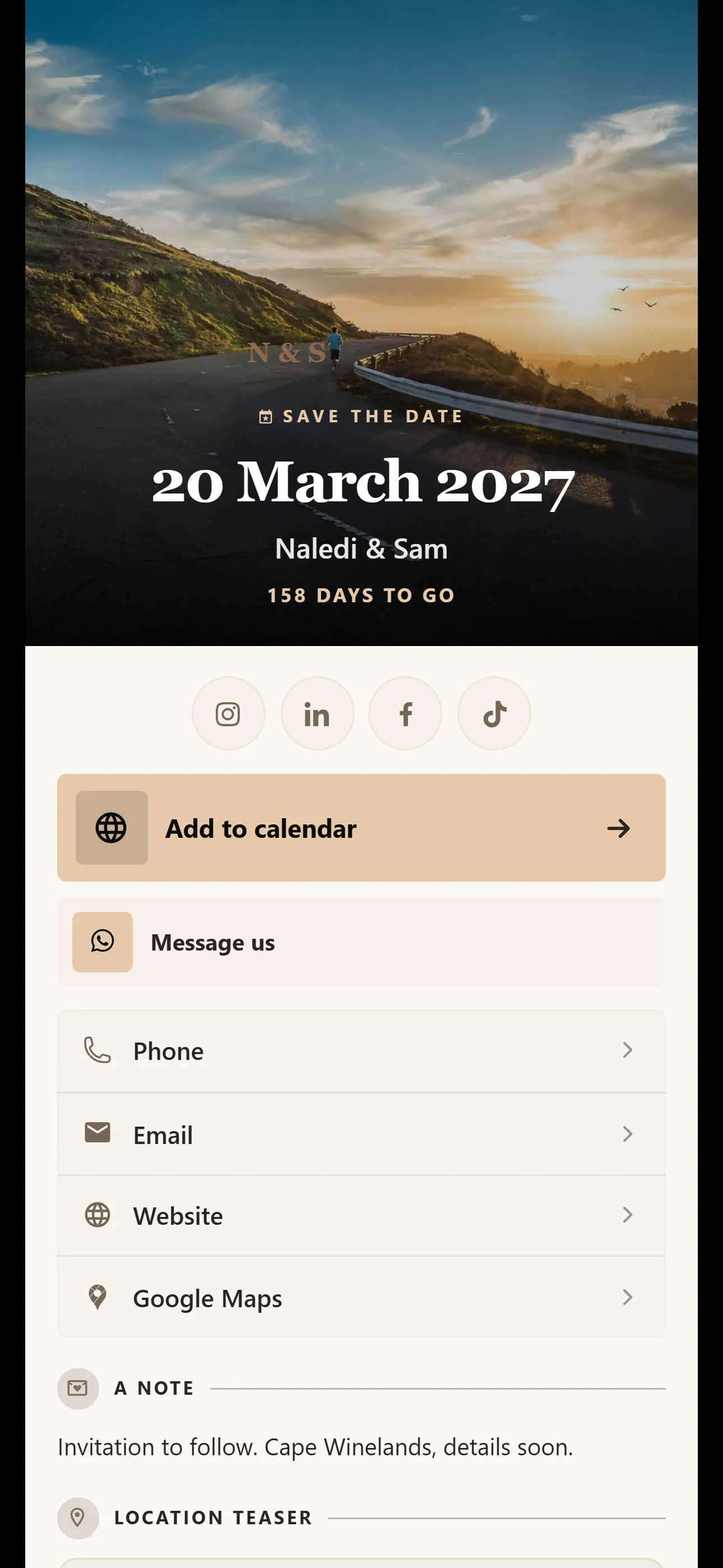
There are 27 templates in four families. Pick the one that fits your work, then add your own photo, logo and colours.
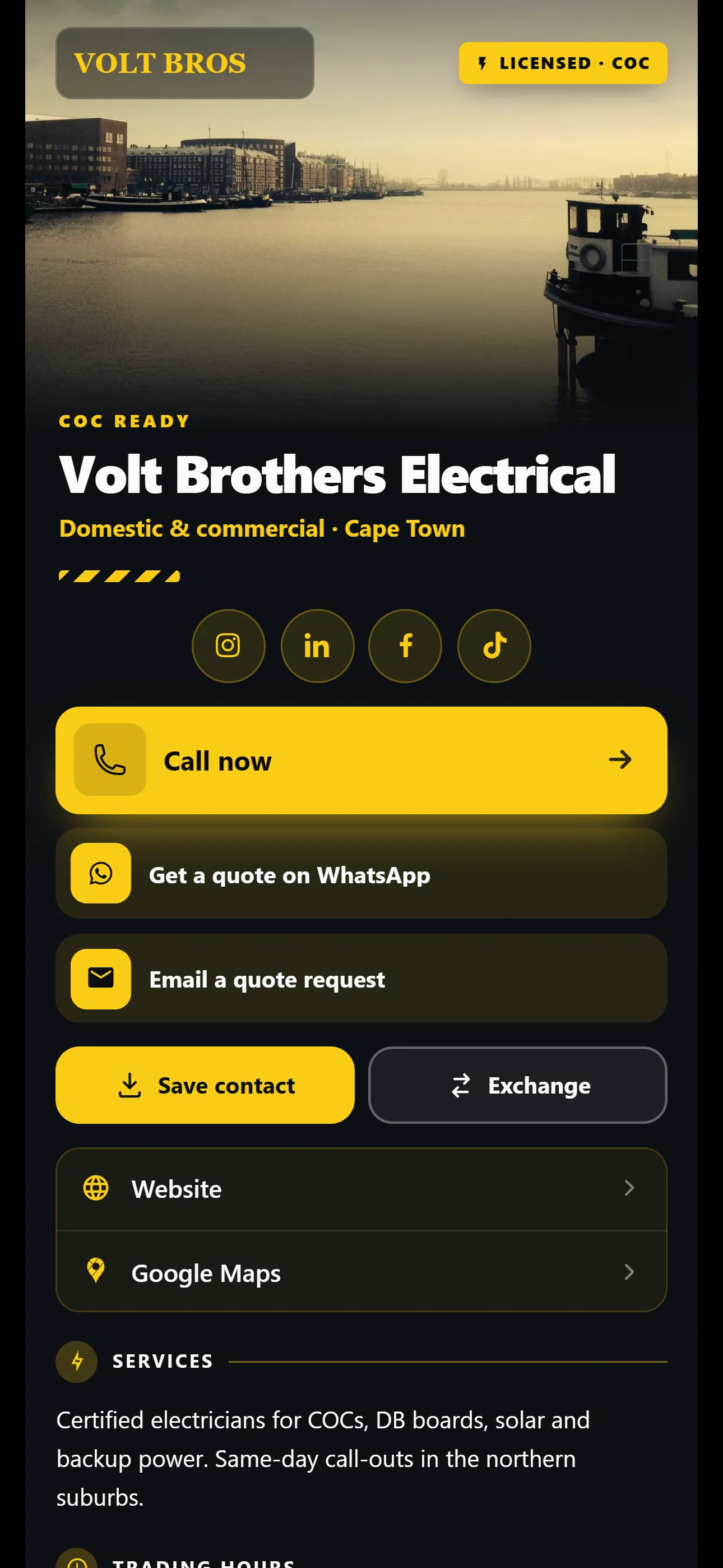
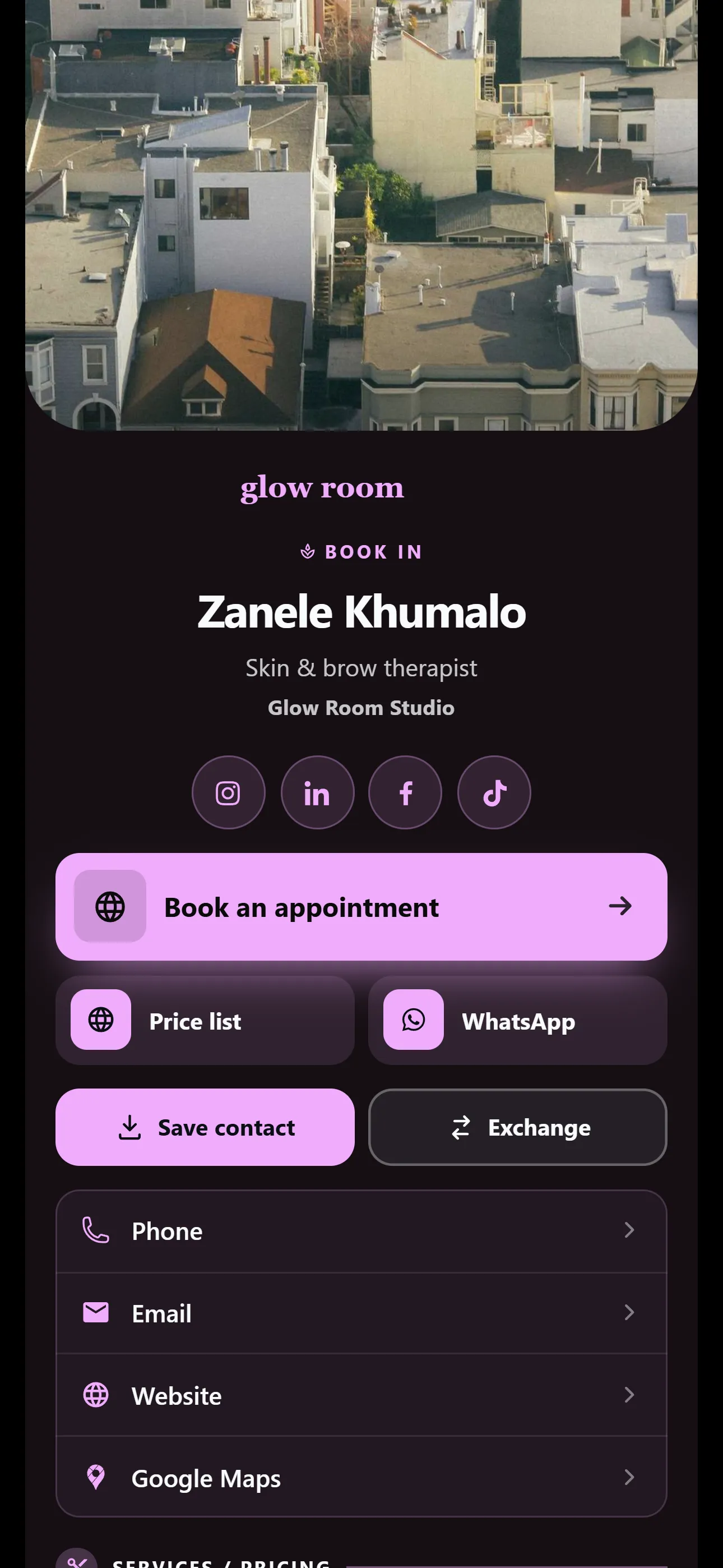
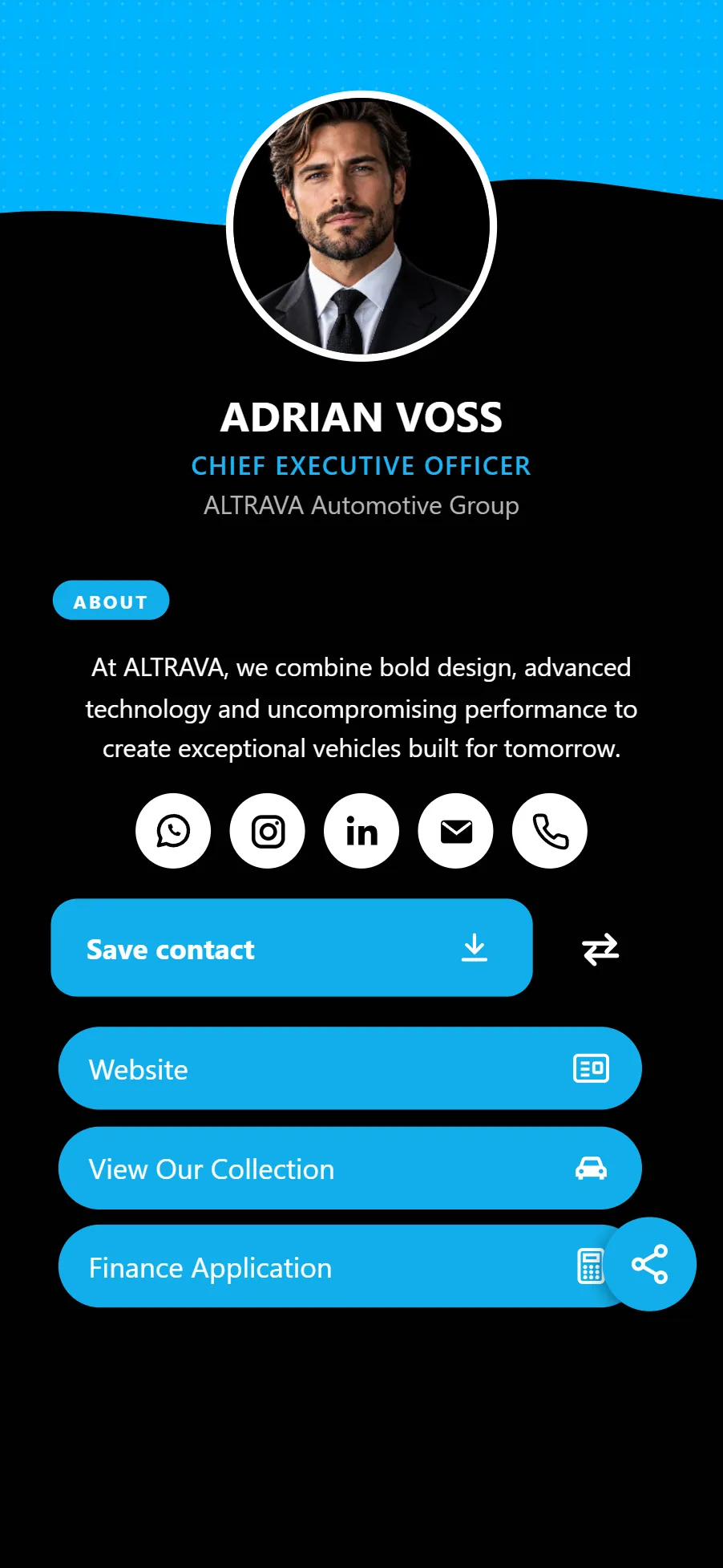
On the free plan, you can’t switch template. New free cards start on Classic, with a choice of 6 preset colour schemes.
- General 7 templates On Basic and Pro
- Clean layouts for anyone, from Classic and Pulse to Ledger, Signal and Dock.
- Industry 12 templates On Basic and Pro
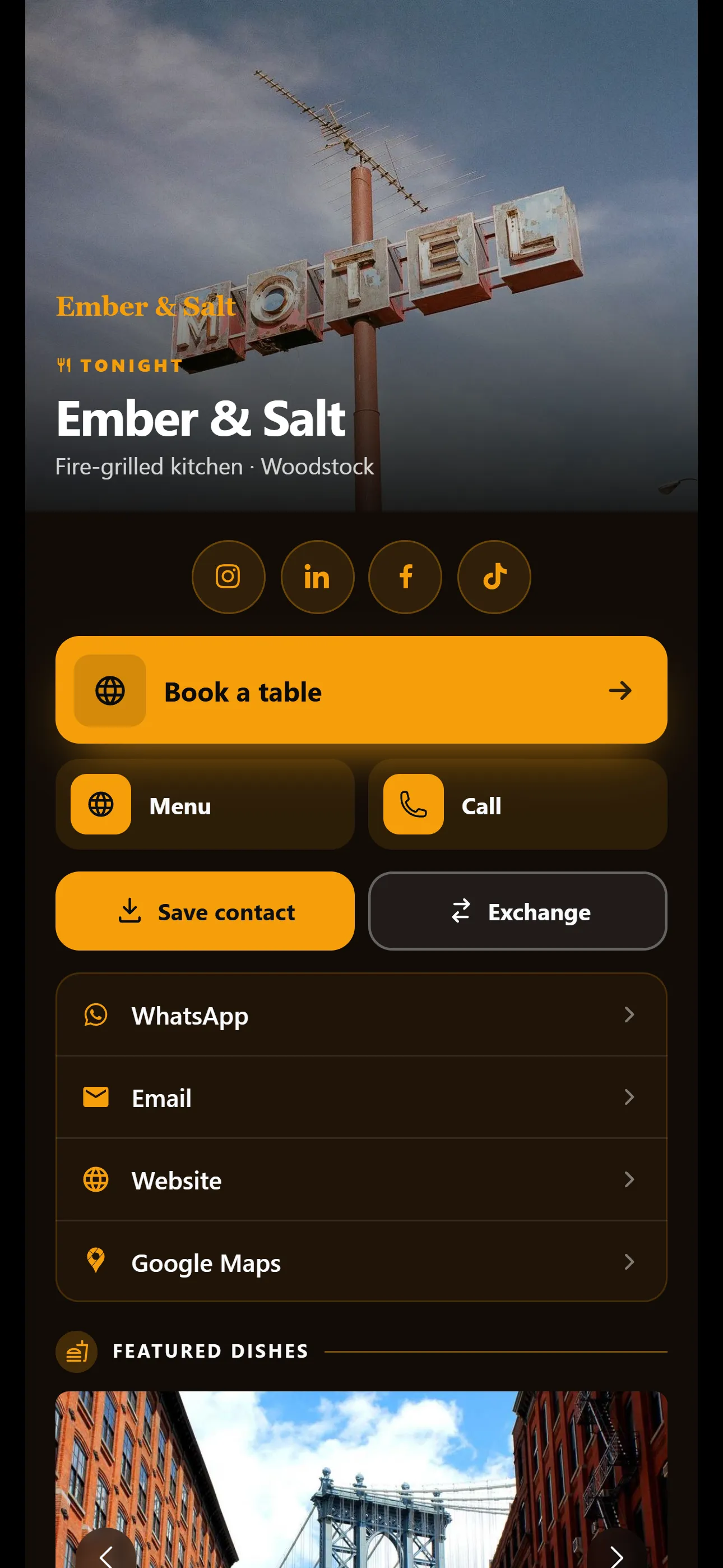
- Made for a trade, with the right first button: Book a viewing for estate agents, Call now for electricians, Book a table for restaurants.
- Occasion 7 templates On Basic and Pro
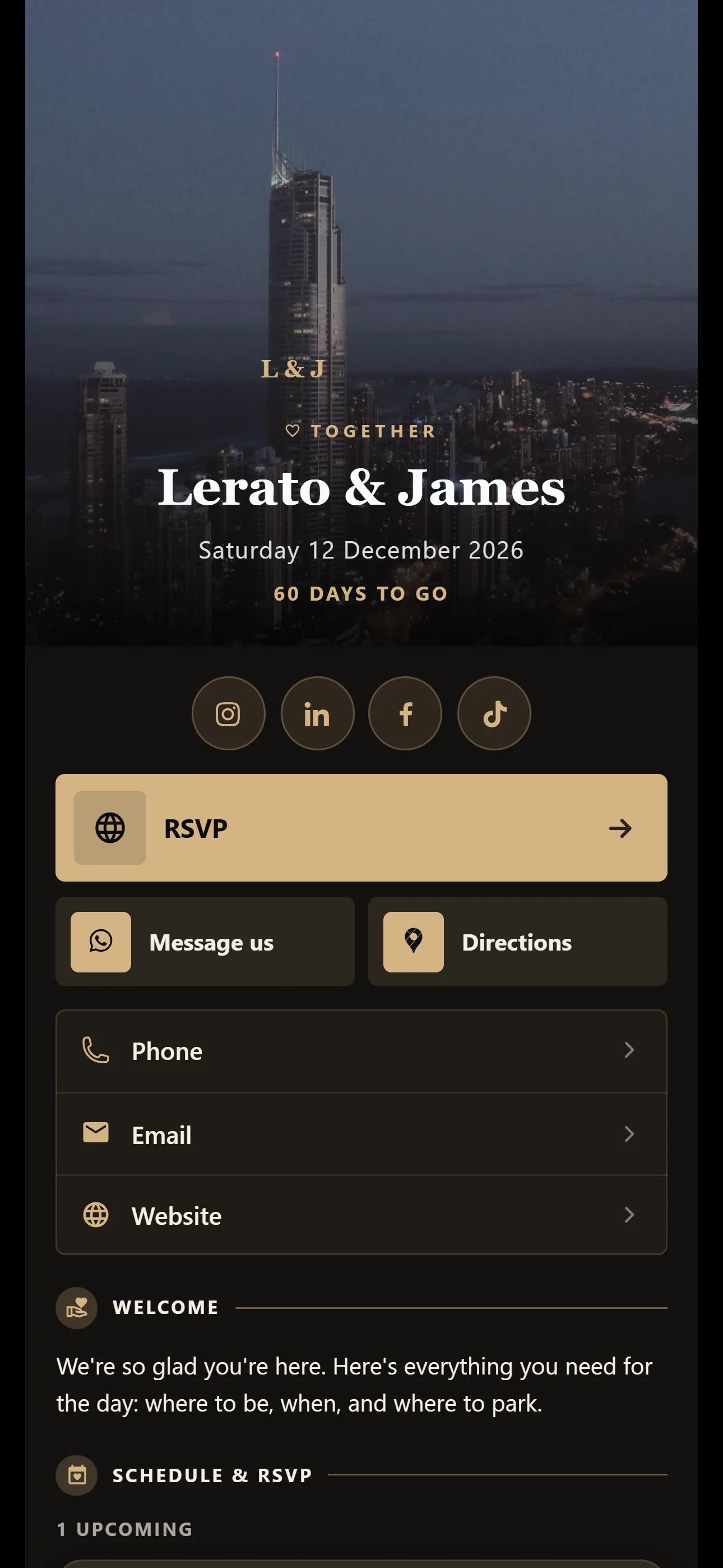
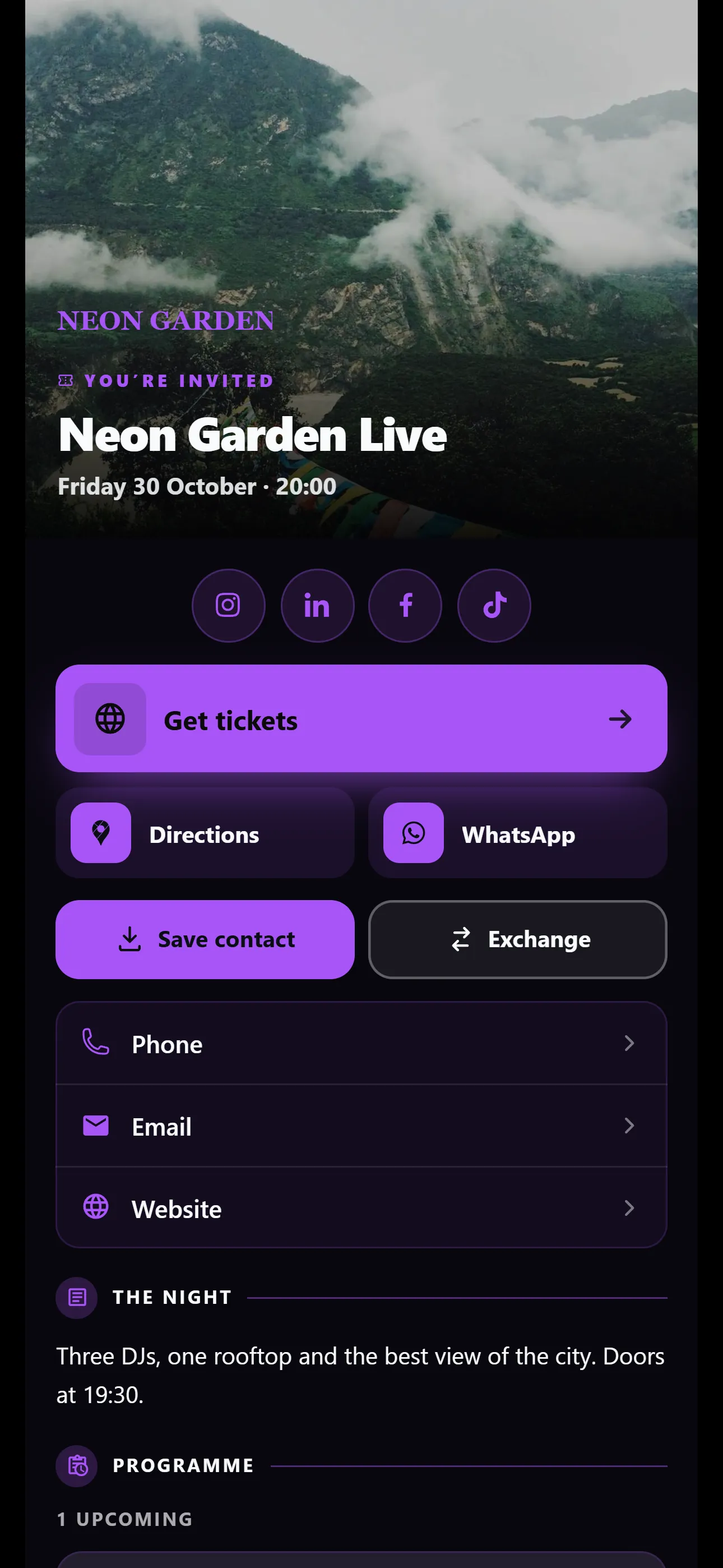
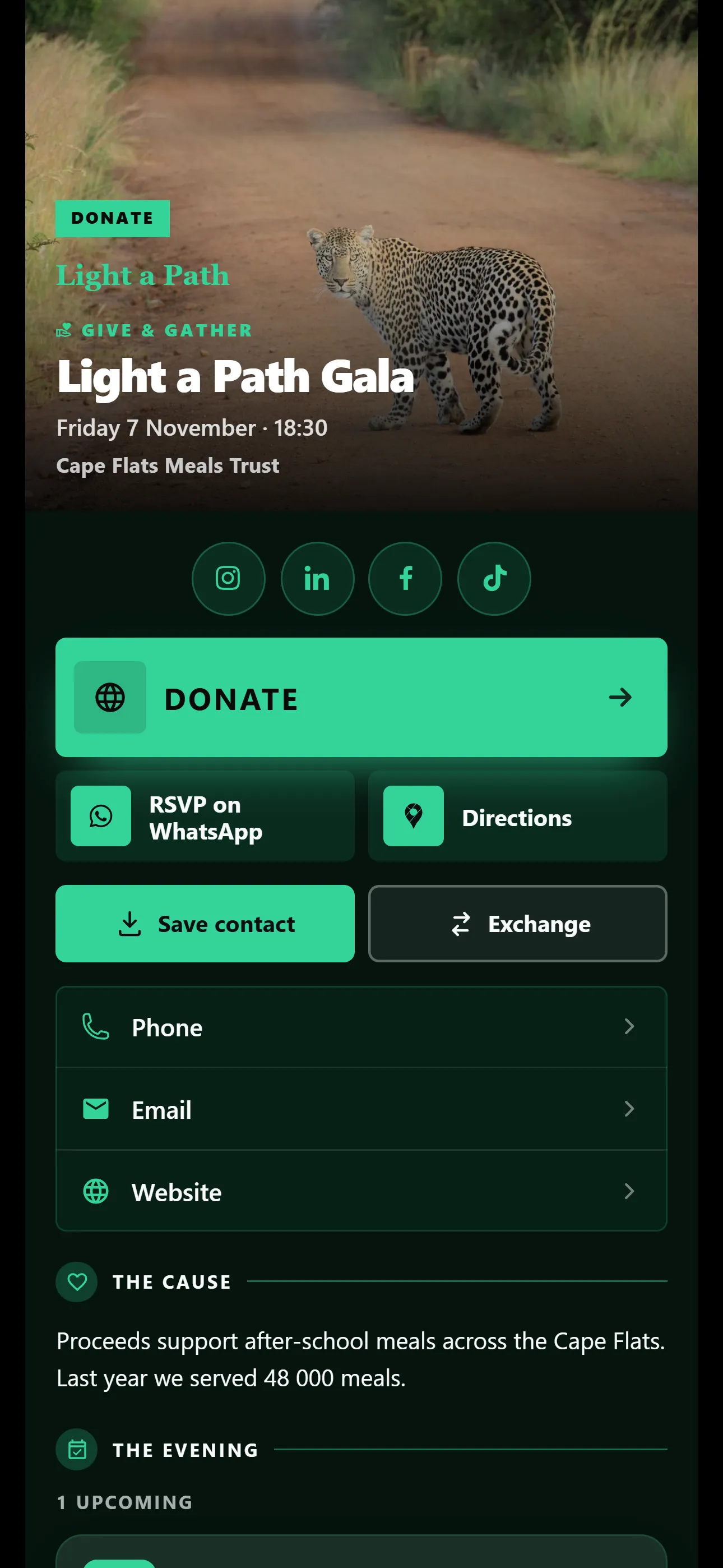
- Weddings, birthdays, conferences and fundraisers, with buttons like RSVP and Directions up front.
- Studio On Pro
- Build your own look by choosing a style for each part of your card. It sits under Custom.
Your details, your colours
Everything on your card comes from one editor, with a live preview beside it.
-
Your details
Display photo, name, job title, biography and company logo. The live preview shows each change as you type, and autosave keeps it.
On every plan, Free included
-
Your colours and background
Set your exact brand colours, a background image and your own favicon, the small icon in the browser tab. The free plan has 6 preset colour schemes.
On Basic and Pro
-
Change it any time
Your card is built fresh each time someone opens it, so an edit shows on every link and QR code you have already shared.
On every plan, Free included
-
Only your brand
The “Powered by VisionLink” line comes off your card, so it carries your brand and nothing else.
On Pro
Modules for everything else
Switch on the parts your card needs. These are the names you will see in the card editor.
On every plan
Free comes with a starter allowance. Basic and Pro raise the limits.
- Links Free: 3 links, 1 document Call, WhatsApp, email, your website, Google Maps and socials, plus files like a menu or price list.
- Events Free: 1 event Workshops, launches and meetups, with RSVPs.
- Carousel Free: 3 images A gallery of your work, your stock or your venue.
- FAQ Free: 5 questions Answer the questions people always ask, as an accordion, an open list or cards.
- Highlights Free: 1 block Packages, specials, announcements and notes, in the look you choose.
On Basic and Pro
On the free plan these show in the editor, ready for when you upgrade.
- Certificates Your qualifications, licences and awards.
- Locations Your addresses, with map pins for directions.
- Partners & brands Logos of the clients and brands you work with.
- Newsletters Your latest newsletters, listed on your card.
- Testimonials Kind words from happy clients.
- Embedded media Videos and tracks from YouTube, Vimeo, Spotify, TikTok and more, played on your card.
- Stories Photos and short clips on your profile photo that disappear after 24 hours.
For bookings, add your Calendly, cal.com, Booksy or Fresha link like any other link. On Industry and Occasion templates it becomes your Book button.
Compare every limitShare it however you meet people
Every card has its own link and QR code. Send it in a chat, print the code, keep it in Apple Wallet or Google Wallet, or hand over a PDF.
-
Your link and QR code
Copy your link, or download your QR code for flyers, signs, quotes and vehicles.
-
A short link that stays the same
Every card gets a permanent vlcard.me link, so printed QR codes keep working. On Pro you choose the name, like vlcard.me/yourname. Your link and QR code run on VisionLink QR, our dynamic QR code service.
-
Share buttons
WhatsApp, LinkedIn, Facebook, X and email, one tap each. In WhatsApp, your link shows a picture preview.
-
Apple Wallet and Google Wallet
Keep your own card in Apple Wallet on an iPhone or Google Wallet on Android, so your QR code is a second away. Edit your card and the pass updates itself.
-
A PDF card
A printable PDF with your QR code, as a landscape business card or a portrait phone card.
-
On their Home Screen
Anyone can add your card to their Home Screen, where it opens like an app with your photo and name.
On every plan, Free included
What people can do with your card
Nobody needs an app or an account. Your card opens in their phone’s browser, and all of this works from there, on every plan.
-
Save contact
One tap adds you to their phone’s contacts: your name, company, job title, numbers, email, website, address, photo and a link back to your card.
-
Exchange
Visitors send you their own details from your card. They go straight into your Leads list, ready for you to follow up.
-
Follow
They tap the bell to follow you by email or phone notification. Sending them updates is on Basic and Pro.
-
RSVP
Guests reply to your event and add it to their calendar. Set a limit, and your card shows when the event is full.
-
Pass it on
The share button sends your card on to someone else. Tap your QR code and it fills the screen, ready to scan across a table.
Every lead in one list
Details people send from your card land in Leads, next to the paper cards you scan and the leads you add yourself.
-
Follow each one up
Move a lead from New to Contacted, Qualified, Proposal and Closed Won. Add notes, a priority and the date you want to follow up.
-
See where it came from
Every lead has a source, such as Digital Card, Business Card Scan, Referral or Event.
-
Export a CSV
Download your leads as a CSV file whenever you like, filtered or all of them.
-
Scan paper cards
On Basic and Pro, the card scanner turns a photo of a paper business card into a lead.
More about the AI tools
On every plan, Free included
There is no CRM integration. Instead, export your leads as a CSV whenever you like, then open them in Excel or Google Sheets, or import them into the CRM you already use.
Two AI tools that save you typing
The card assistant edits your card from a chat. The card scanner turns a photo of a paper business card into a lead. Both are on Basic and Pro, and both ask for your permission the first time.
Card assistant
Tell it what to change, typed or spoken. It rewrites your bio, spots what is missing, adds links, and can draft your whole card from your public website. Nothing saves until you tap Apply.
It works on your own card only, and it can’t read pages behind a login, such as LinkedIn.
- Basic
- 25 messages a month
- Pro
- 80 messages a month
Card scanner
Take a photo of a paper business card. The scanner reads the details, you check them, then save a lead or download a vCard. No more typing up a stack of cards after an expo.
The photos are stored privately and deleted after a year.
- Basic
- 10 scans a month
- Pro
- 40 scans a month
During the free Pro trial, the AI allowances are the same as Basic: 10 scans and 25 messages a month.
See how many people opened your card
Statistics count every time your card is opened: how many views, how many were new, how people found it and where they were.
On Pro
-
Your numbers at a glance
Total views, Unique views, Unique rate and Top country, for any month, the last 12 months or a calendar year. Export what you see as a CSV or a PDF.
-
Where people come from
How people found your card, such as a QR code scan, a copied link or your Wallet pass, plus their countries, cities and devices.
-
Performance analysis
Compare each day, week or month with the one before, and see your growth rate.
-
Company statistics
See every card in your company side by side, with a team leaderboard.
Statistics count views. They don’t show who opened your card or which buttons they tapped.
Keep in touch after you meet
Anyone can follow your card. Send your followers short updates and proper newsletters, by email or as a phone notification.
-
Followers
Your card collects followers on every plan. People choose to follow you, and every email they get has a one-click unsubscribe. On an iPhone, phone notifications work once your card is on their Home Screen.
-
Updates
A short message to everyone who follows your card, like a special or a new number. Send up to 3 a day.
-
Newsletters
Write one with images in the editor, or upload a PDF. Send yourself a test, then send it now or schedule it up to 90 days ahead. You can list it on your card too.
-
Opens and clicks
See how many newsletters were delivered, opened and clicked, and how often each link was clicked.
On Basic and Pro
Basic sends 2 newsletters a month and Pro sends 8. On the free plan your card still collects followers, so they are waiting when you upgrade.
Cards for your whole team
Give everyone a card in your company’s look and manage them all from one account. Teams are on Basic and Pro, and you pay per card.
-
One company look
Set your logo, template and colours once. You choose who may personalise their own card.
-
People
Invite your team by email, pause a card when someone leaves and hand it to the next person.
-
Shared buttons and events
Global buttons and company events show on every card in the company.
Privacy, in plain words
Your card is public, so people can open it and save your details. Here is how we look after everything else.
Read our privacy policy- Written for POPIA
- Our privacy policy is written for POPIA and sets out your right to see, correct and delete your information.
- Not for sale
- We don’t sell personal data, yours or your visitors’.
- AI only when you say so
- The card assistant and scanner ask for your consent before their first use. The assistant changes nothing until you tap Apply.
- Followers opt in
- Email follows are confirmed with a click, and every update and newsletter email has a one-click unsubscribe.
- No ad tracking on cards
- Our ad pixel never runs on your card, so the people who open it are not tracked for ads.
- Paused cards hide details
- If a card is paused, its page shows a short notice and none of the contact details.
Questions people ask
Straight answers about what VisionLink does, and what it doesn’t.
Do the people I share my card with need an app?
No. Your card opens in any phone’s browser from a link, a QR code or WhatsApp. They can save your details to their contacts in one tap, and only you need an account.
Can I see who opened my card?
Not by name. Statistics on Pro show how many people opened your card, how many were new, how they found it and which countries and cities they were in. They don’t show who the person was or which links they tapped.
Does VisionLink connect to my CRM?
There is no CRM integration. Every lead is kept in your Leads list, and you can export your leads to a CSV file at any time to open in Excel or import into your CRM.
What changes when I edit my card?
Your link, your QR codes and your Wallet pass all show the new details. Contacts that people saved before, and PDF cards you downloaded before, keep the old details.
What do I get on the free plan?
One live card in the Classic look with 6 colour schemes. You can share it by link, QR code, WhatsApp, Apple Wallet and Google Wallet, collect leads and export them, and collect followers. Free includes 3 links, 1 document, 1 event, 3 carousel images, 5 FAQ questions and 1 Highlights block.
Put your card on their phone today
Make your card and share it the same day. Try Pro free for 2 months, then choose a plan or carry on with Free. Make your card and share it the same day. Start free, and upgrade when you want more.
No credit card needed. Nobody is charged when it ends. Free for one card. No credit card needed.